One dashboard for every AI coding agent on your project.
KirinBoard connects to GitHub and shows you, live, which agent is working on what, whether its tests passed, and where work is stuck. You never have to ask.
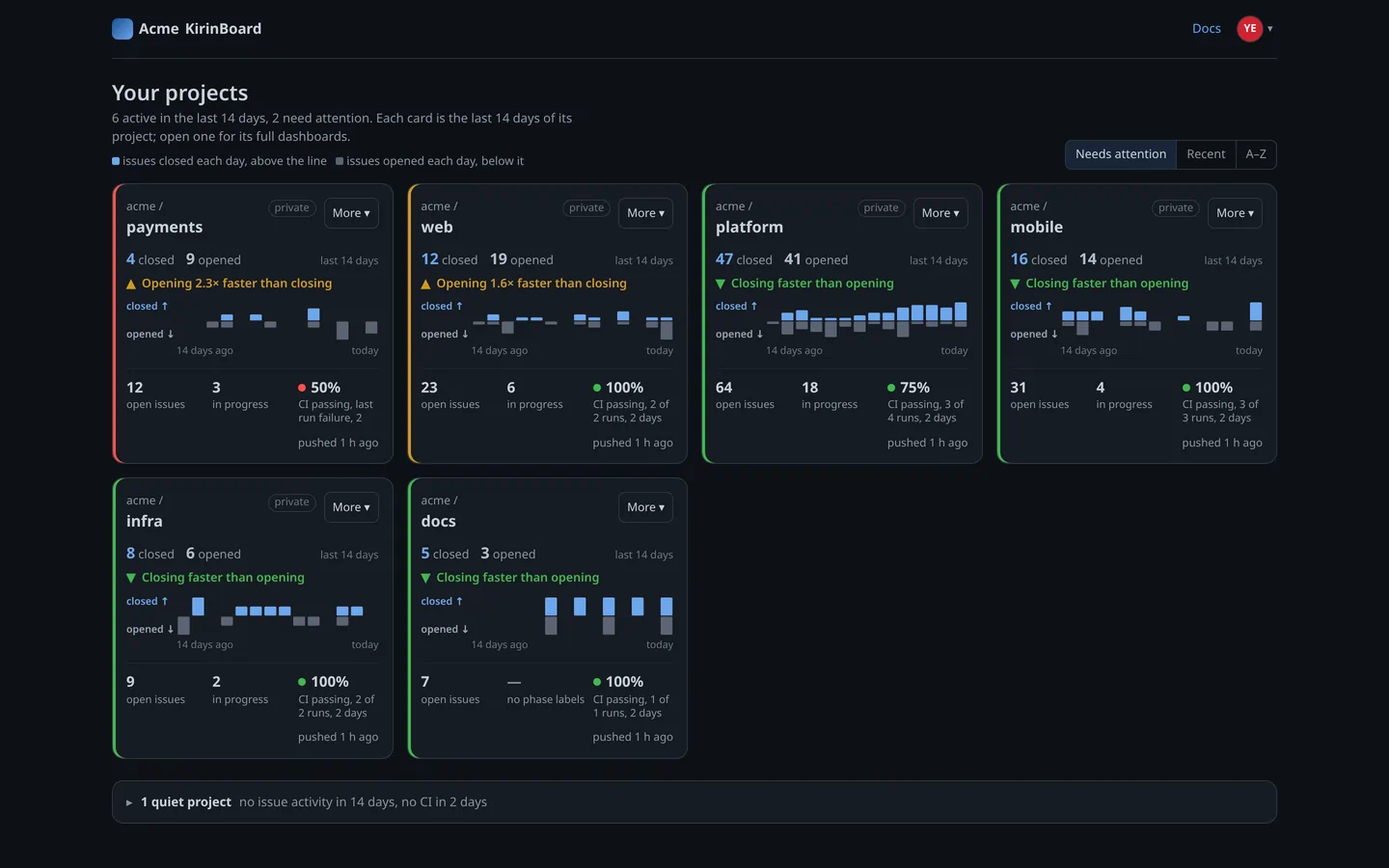
Every project at a glance, with how its tests are doing
The problem
Managing many agents and workstreams is hard
01
Agents clash on the same files
Two agents edit the same file, each in its own copy of your code, and you only find out when you try to combine their work.
02
Who has which change?
With several agents running, it gets hard fast to track which agent owns which task, and which change is theirs.
03
Testing and release rules don't stick
Speed is easy. Knowing "done" means tested and released is not. Agents drift from your process, and changes sit waiting on their tests.
04
Your own test servers are a black box
Runners are the programs on your servers that run your automated tests. A server drops offline or its runners are all busy, and you only notice when waiting work piles up.
05
Figuring out what's stuck and what's an easy win is hard
Some changes are one fix from merging. Some tasks are free to pick up. Finding them means digging through every project by hand.
How KirinBoard helps
One board for your agents, their changes, your tests and your test servers
01 · Agents
Know which agent has which change
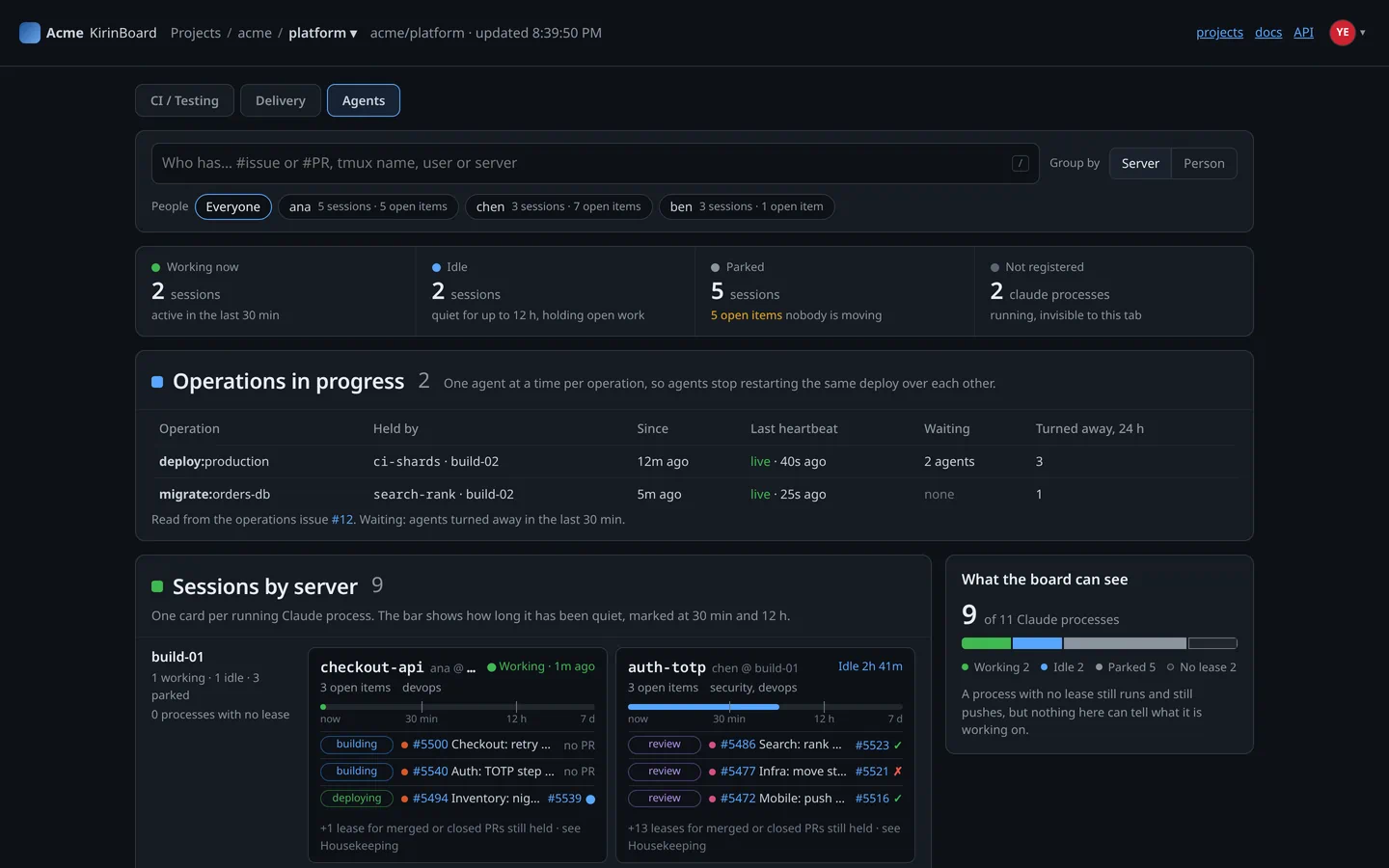
One tile for each running agent: working, idle or parked (stopped for now), with the task it's on, its change and whether its tests passed. No more asking. A Needs-you list puts changes whose tests failed, and that nobody is fixing, at the top.
02 · Collisions
Catch agents clashing on the same file
Each agent works on its own copy or branch of your code. KirinBoard compares the branches being worked on and warns when two of them change the same files. Agents can also reserve a shared job, such as releasing to your live site, so two never run it at once.
03 · Truth checks
Make your process stick
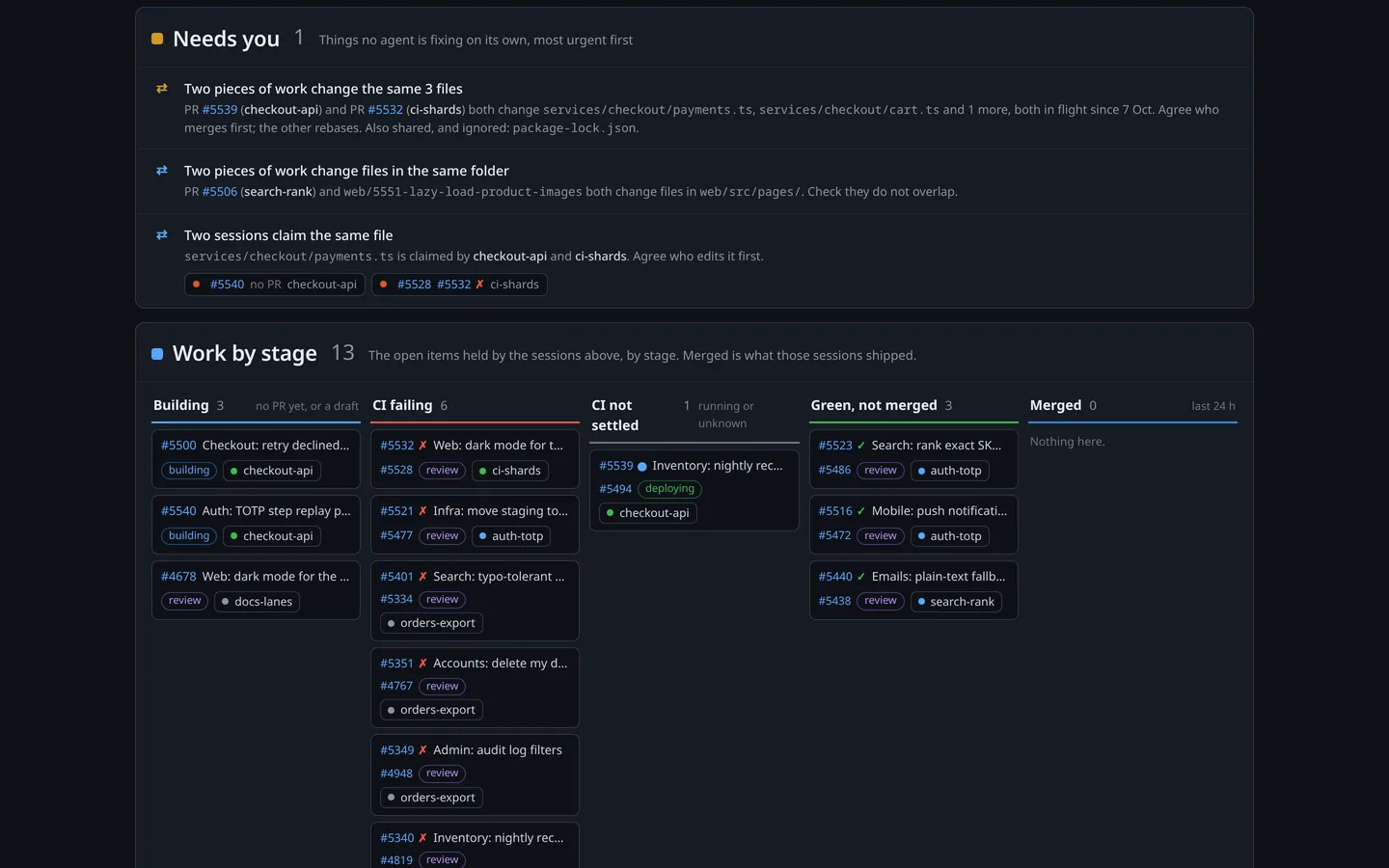
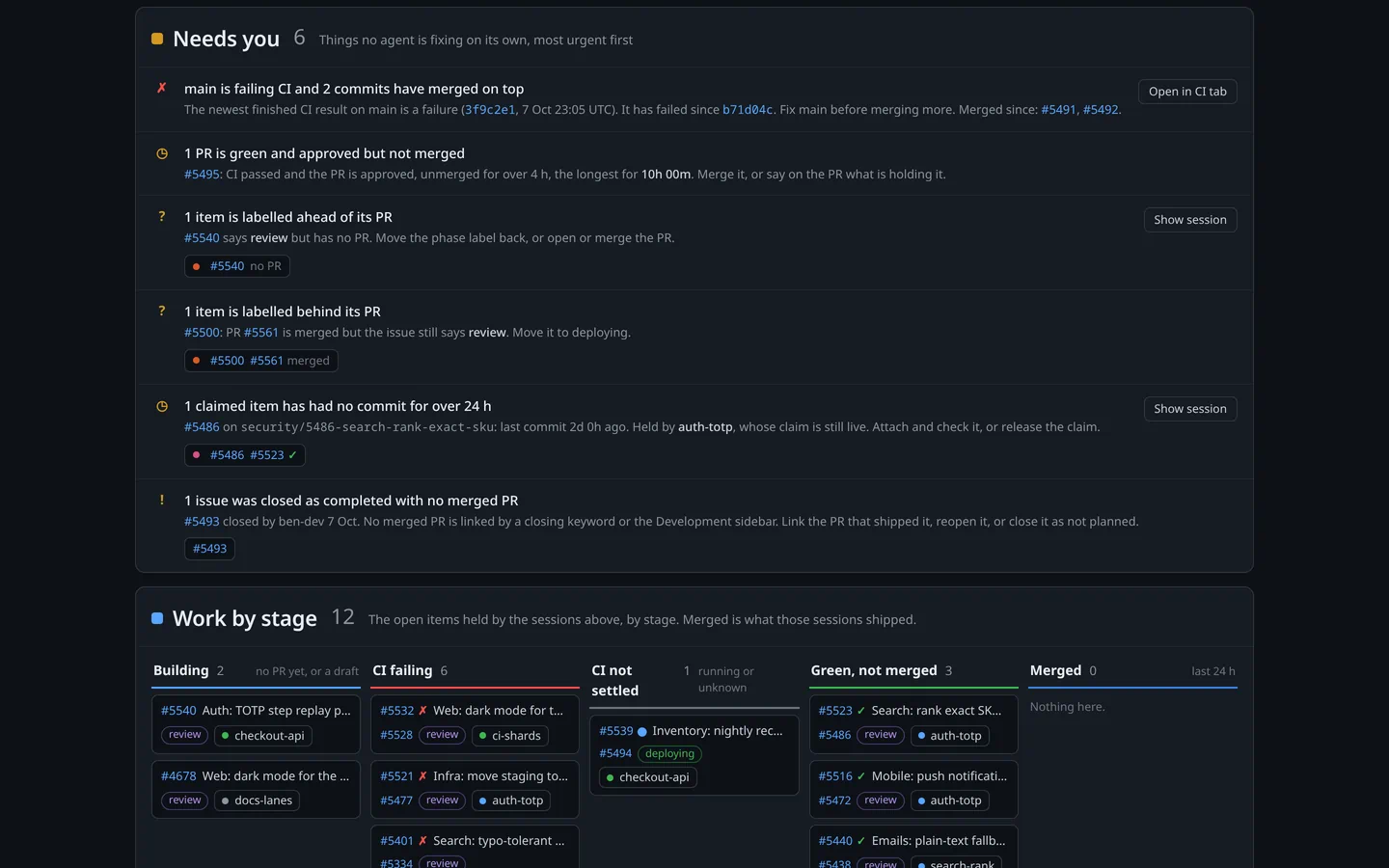
Rules only help if they're followed. KirinBoard flags tasks marked finished whose change never reached your code, work marked "in review" with nothing to review, and tasks an agent reserved but hasn't touched in days, so "done" really means done.
04 · Tests
Unstick changes waiting on their tests
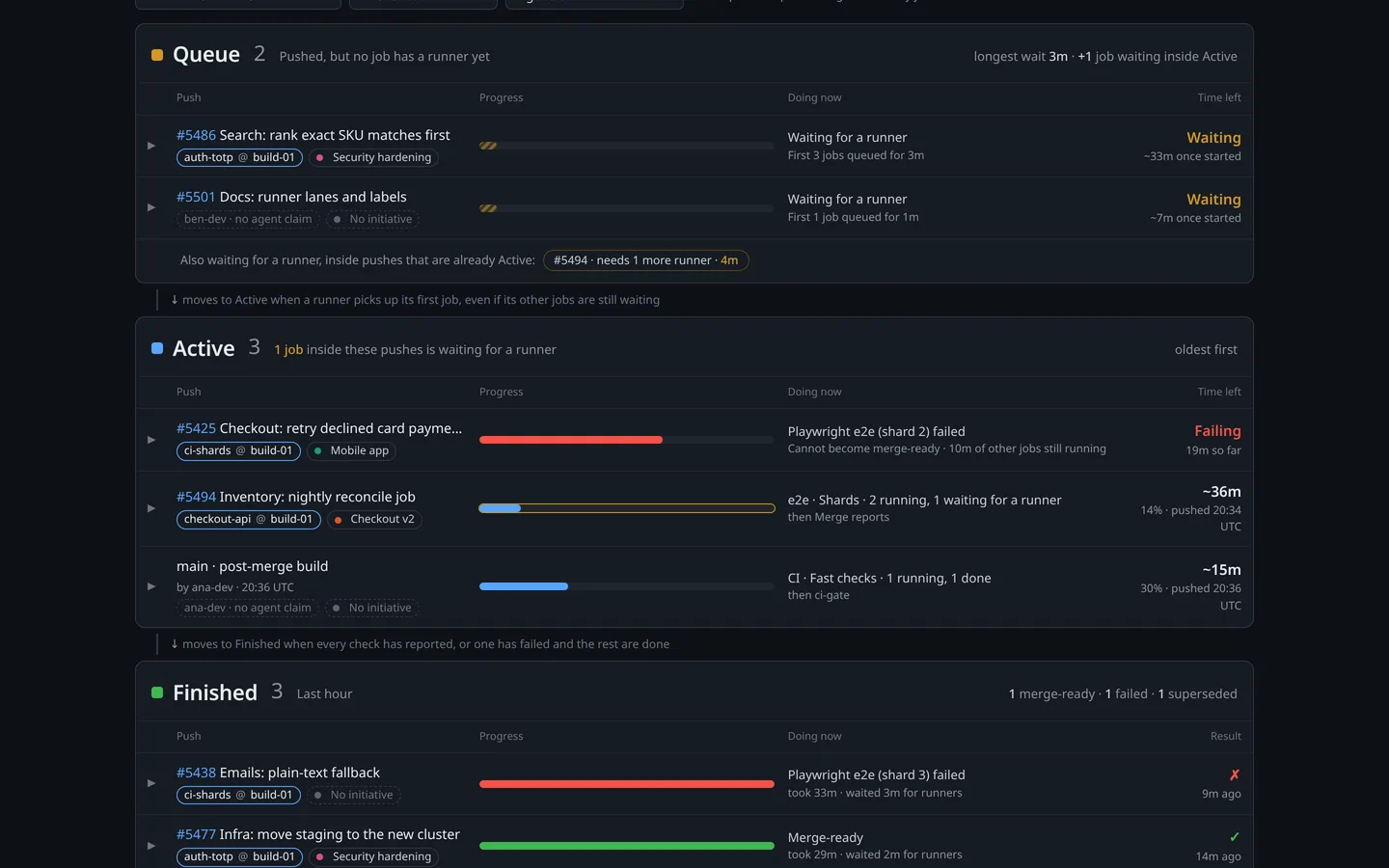
Are your automated tests broken, or just busy? See which test runs are waiting, running, stuck or failing at a glance. A run stopped because a newer version of the change arrived counts as replaced, not failed, and you can see where changes lose time waiting for a free test server.
05 · Runners
Track your own test servers
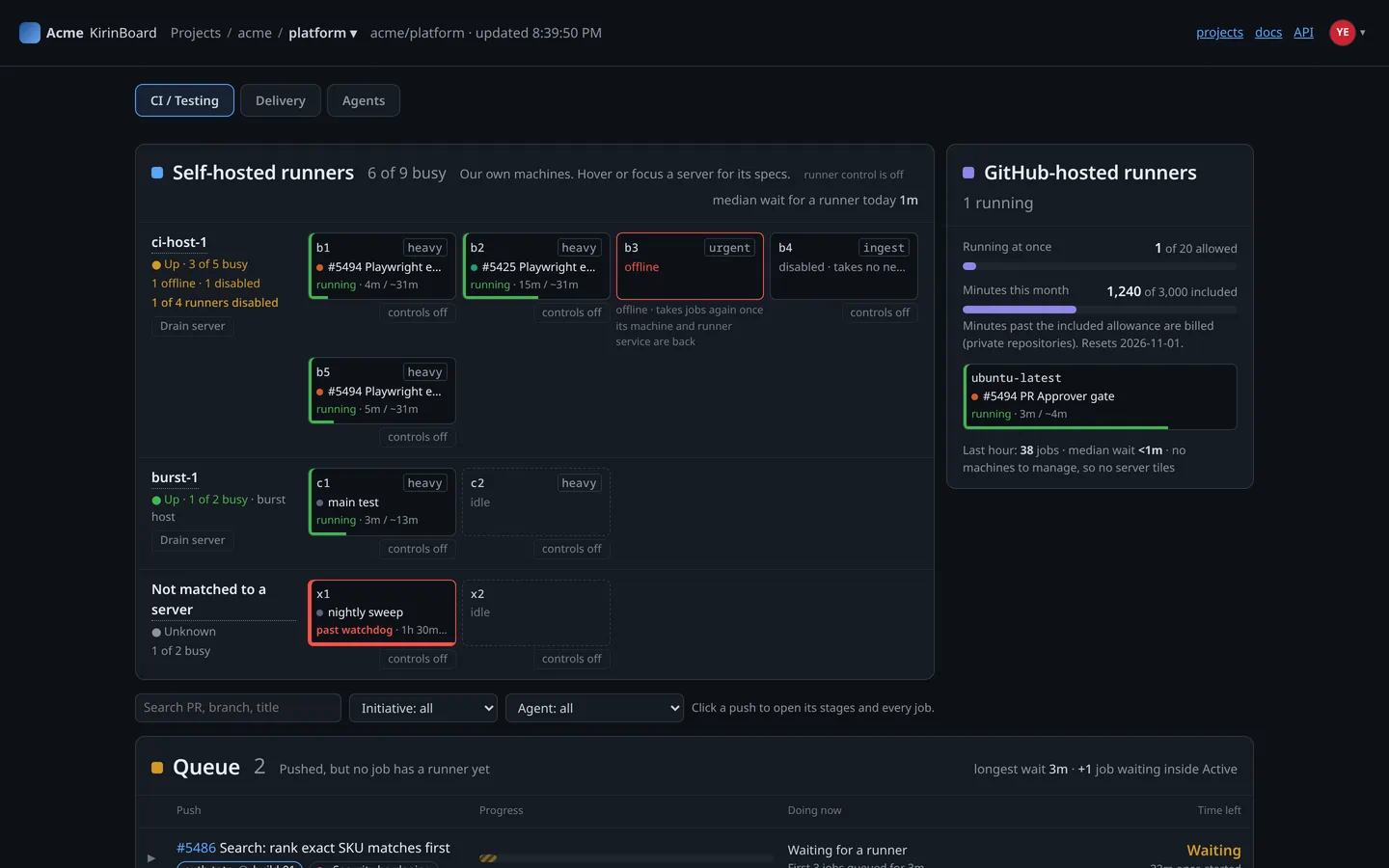
Every runner on your own servers, grouped by server: online or offline, busy or idle, and which change each busy runner is testing. Know the moment a server goes down, and see how many changes are waiting for a free runner.
06 · Delivery
Delivery health, with what to do next
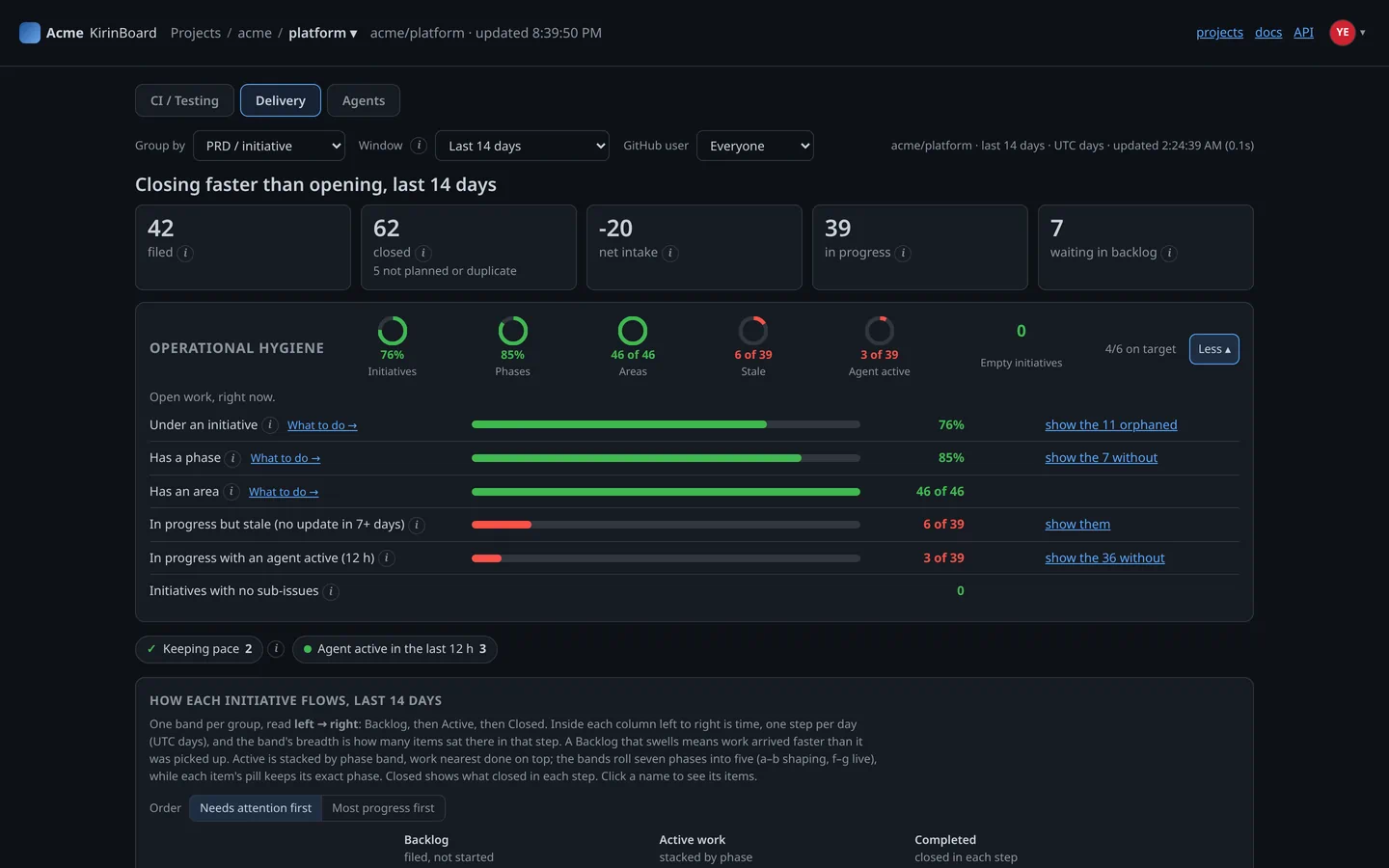
For every project: how fast work moves through each stage, and how much has been left untidy, such as finished work never marked done. Each number has a What-to-do link and ready-made instructions you can hand straight to your agents.
07 · AI assistants
Ask your board, then put your agents to work
Add KirinBoard to Claude, ChatGPT or another AI assistant with one address, then sign in with GitHub and allow it. Ask what needs you or why a change is stuck. Or hand your agent the job: finish the changes that are one step from merging, or take the next free task, claim it, and check nobody else is changing the same files first. KirinBoard itself only reads. Your agent does the work with the access you already gave it.
Claude Code · KirinBoard connected
Use KirinBoard's quick wins for acme/web. Get the changes that are one step from merging over the line, then pick up the next free task. Check the board and claim it before you start.
The board shows three changes one step from merging:
#412 was behind. I rebased it and its tests are running.
#418 had one failing check. I fixed it and pushed.
#421 only needs a review, so that one is yours.
Next free task: #430. Nobody else is changing its files, so I claimed it and started.
Our approach, or yours
Move fast without losing control
We took industry best practice in software design and shaped it into a lightweight, Agile-style way of working with agents. Use it if it suits you. If not, use the dashboards to monitor and manage the process you already have.
Take our approach
Every piece of work starts as an issue, a numbered task in GitHub. Each agent marks the task it has taken, and work moves through clear stages: building, then review, then release. The board shows where everything is.
Read the short guideOr keep your own
Already have a way of working? Connect KirinBoard to GitHub, where it can look but never change anything, and use the dashboards on their own to watch your agents, their changes and your tests.
Sign up with GitHubRead-only by design
It can look, not touch
KirinBoard connects to GitHub as an app that can only read. It cannot change your code, accept a change or alter a setting.
It can't open your files
KirinBoard can't download, copy or change your code. It reads tasks, changes and comments, which can quote code, and doesn't keep that text. It stores names, settings and daily counts.
No passwords, no stored tokens
You sign in with your GitHub account. We never store your GitHub password or access keys.
Uninstall means gone
Disconnect KirinBoard from GitHub and all your data in KirinBoard is deleted. Backup copies expire after a limited period.
You choose what it reads
KirinBoard reads only the repositories (your project folders on GitHub) you pick when you connect it to GitHub. Change that list on GitHub, or disconnect it, and the board follows.
Free for individuals and open source. Always.
Agents are free. You pay only for the people who use the board, and every plan is free until billing starts. We'll give you 30 days' notice first.
Free
$0
For one person, private repositories included. For open source, any number of people, when every repository is public.
Team
$8 per member a month
For two or more people on private repositories. A member is someone who signs in to your board. Agents never count, however many you run.
Enterprise
Let's talk
Single sign-on, self-hosting on your own servers, invoicing and support. Contact us